
All your guidance lines in seconds.
RTK Manager organises your fields, builds your lines (headland cut at the corners, the A-B with the fewest point rows, sprayer, seed drill) and sends them to your display. No retyping, no lost season.
Powered by RTK Précision, a French company · designed in northern France, with farmers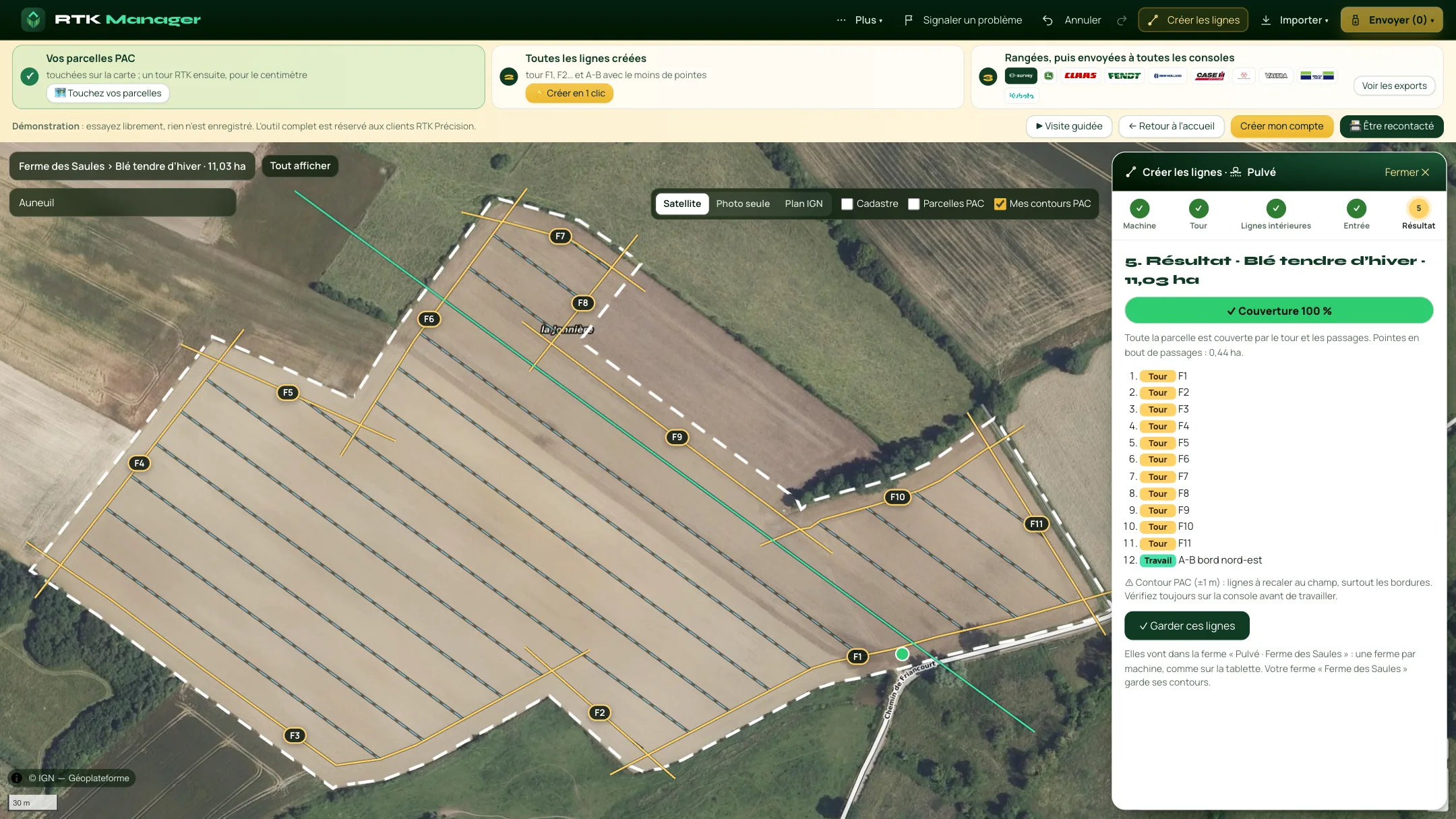
Three steps, from display to display.
Your fields
Tap your declared (PAC) fields on the map: that is the base. For the centimetre, add an RTK headland later. Tablet backups, Télépac, KML and John Deere files are recognised too.
Build
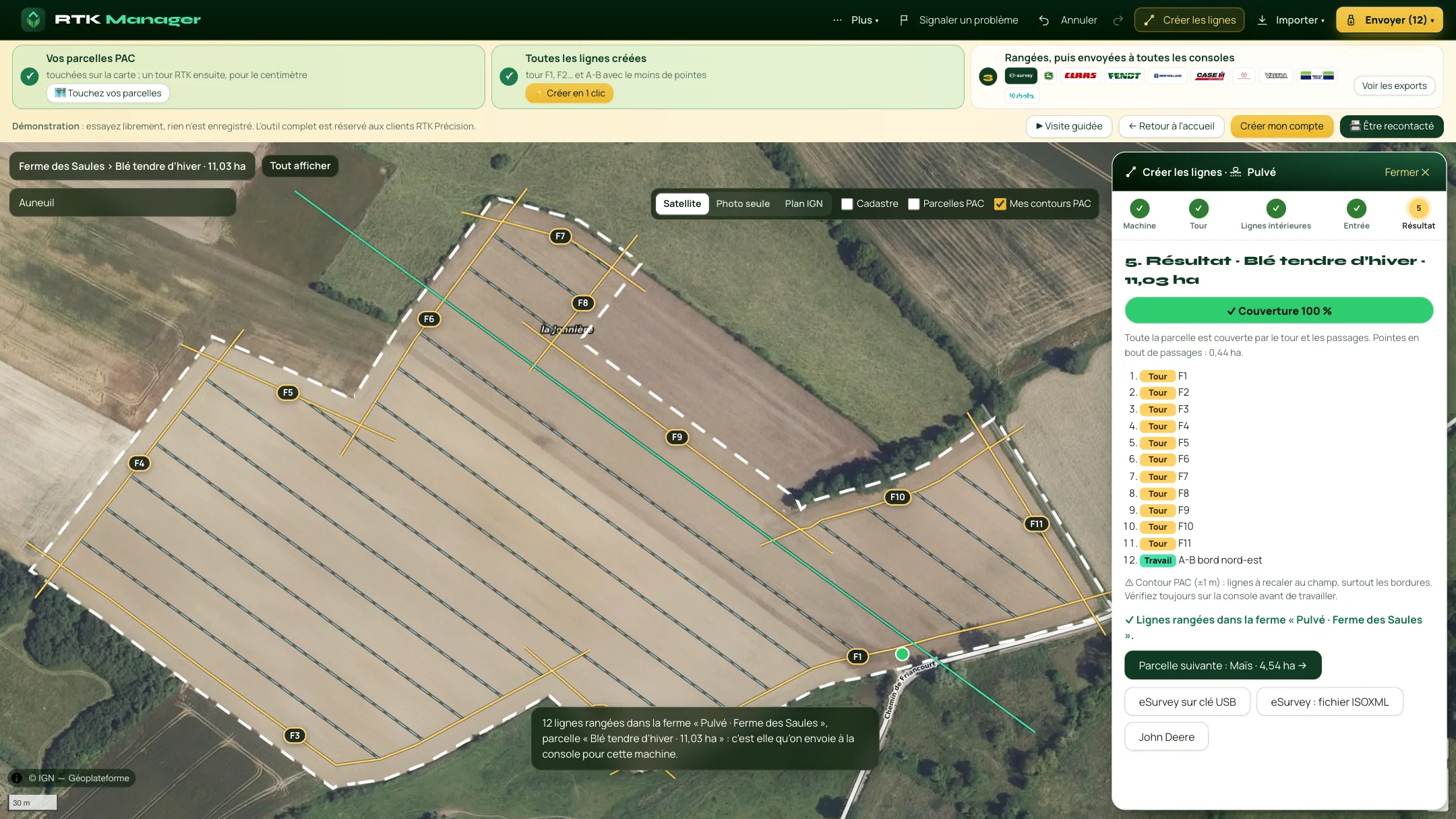
Pick the machine: the headland first, then the lines inside. Set the field entrance: the lines are listed in the right order on the tablet.
Send
One click and your lines are on the USB stick, dated and ready to import on the display.
Everything RTK Manager does.
From your declared fields to the display: every step has its tool, designed with drivers.
PAC fields in one tap
Type your village, tap your fields: crop and area come with them, set-aside included if you mulch it.
▶ Watch (French)All your files
eSurvey tablet backup, Télépac, KML, John Deere, AgOpenGPS: the format is recognised automatically.
▶ Watch (French)Headland cut at the corners
The headland sits half a width from the edge, cut into F1, F2, F3, ready for the display.
▶ Watch (French)Advised A-B line
It starts against the headland, along the edge that leaves the fewest point rows.
▶ Watch (French)Angle optimised to the degree
Change the edge, or let RTK Manager look for the best angle for the field.
▶ Watch (French)Poles and folded boom
Mark your poles: the passes shift so they fall into the folded boom section.
▶ Watch (French)No missed spot
The whole field is checked: point rows and narrow strips get their line, the rest shows in red.
▶ Watch (French)From 0.30 to 60 m
From market gardening to the sprayer, with offset tools and bed work.
▶ Watch (French)One farm per machine
Sprayer, drill, cultivator: each machine has its farm, organised as on the tablet.
▶ Watch (French)Other displays
John Deere file or ISOBUS (CLAAS, Fendt, New Holland…), being validated: check on your display.
▶ Watch (French)Centimetre accuracy
Import a headland driven in RTK: your lines are built to the centimetre and kept year after year.
▶ Watch (French)One thread, three steps
Your fields, their lines, sending them: the screen always shows the next step, and a guided tour presents every button.
Nothing to install
In the browser, on computer, tablet or phone.
No missed spot, no pole in the boom.
Designed with drivers: one headland, a straight A-B starting right against the edge, and a check that the whole field is covered.
- The edge with the fewest point rows is advised, or the angle optimised degree by degree.
- Poles fall in the folding tip of the boom, with the side to fold shown.
- Untreated spots show in red before anything is sent.
- Seed drill, cultivator: the same farm rebuilt at their width in one click.
One app, all your displays.
We check every format in the cab before calling it compatible. Your feedback moves us forward brand by brand.
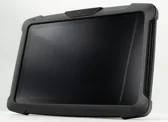
 eSurvey tablet (RinoTrack)
✓ Validated on the tablet
Straight to the USB stick, in a dated folder: Fields → Import → ISOXML. The farm arrives signed, with its headlands and work lines.
- In RTK Manager: Send → eSurvey tablet, onto the USB stick
- On the tablet: Fields → Import → ISOXML
- Your farm arrives, organised by field: headlands and work lines
Other brands in testing
ISOBUS format (ISO 11783-10) and John Deere file: being validated in the cab.
 John Deere
 CLAAS
 Fendt
 Valtra
 Massey Ferguson
 New Holland
 Case IH
 Deutz-Fahr
 KubotaAgOpenGPS
Brand names belong to their owners and only identify the displays targeted; no affiliation is implied.
Surveying your fields, even simpler.
Today, you drive around the field once in RTK with the tablet, and RTK Manager builds your lines to the centimetre. Soon, a small RTK Précision receiver, hand-held or on a quad, will be enough to survey your fields straight in the app.
- On foot or by quad: boundaries, field entrances and poles
- The Centipède community network set up straight in the app
- From survey to USB stick, in one tool
For RTK Précision customers, included with your guidance.
RTK Précision customers
Included with your guidance
RTK Manager has no limit: all your fields, all your machines, live RTK survey. Create your account with the e-mail address of your guidance purchase: it opens at once. Your data safe on our servers in Europe.
Create my accountAlready have an account? Log in →
Not a customer yet?
Watch the demo
In just over a minute, on an example farm: the fields picked on the CAP map, every line made at once, the transfer to the console. Then discover our RTK guidance.
▶ Watch the demoContractors and dealers: tell us about your needs, a separate offer is being studied.
Frequently asked questions
Do I need to install anything?
No. RTK Manager runs in the browser, on a computer, tablet or phone. Your lines go to the display on a USB stick.
Is my data safe?
Your fields are stored in your own space, on our servers in Europe, and never sold. You can export or delete everything at any time.
My boundary comes from a public field register: is it accurate enough?
Public boundaries are accurate to about 1 m: fine to start with. For centimetre lines, start from a headland recorded in RTK: RTK Manager recognises it and tells you.
My display is not listed?
Most recent displays read the ISOBUS format. Try the “Other ISOBUS” export and tell us how it went: every report moves compatibility forward.
Who is behind RTK Manager?
RTK Précision, a French company based in the Oise, specialised in RTK auto-steering. The tool is built with farmers and improved every week with their feedback.
Your lines, ready before the season.
Watch the demo on an example farm: every line in one click.